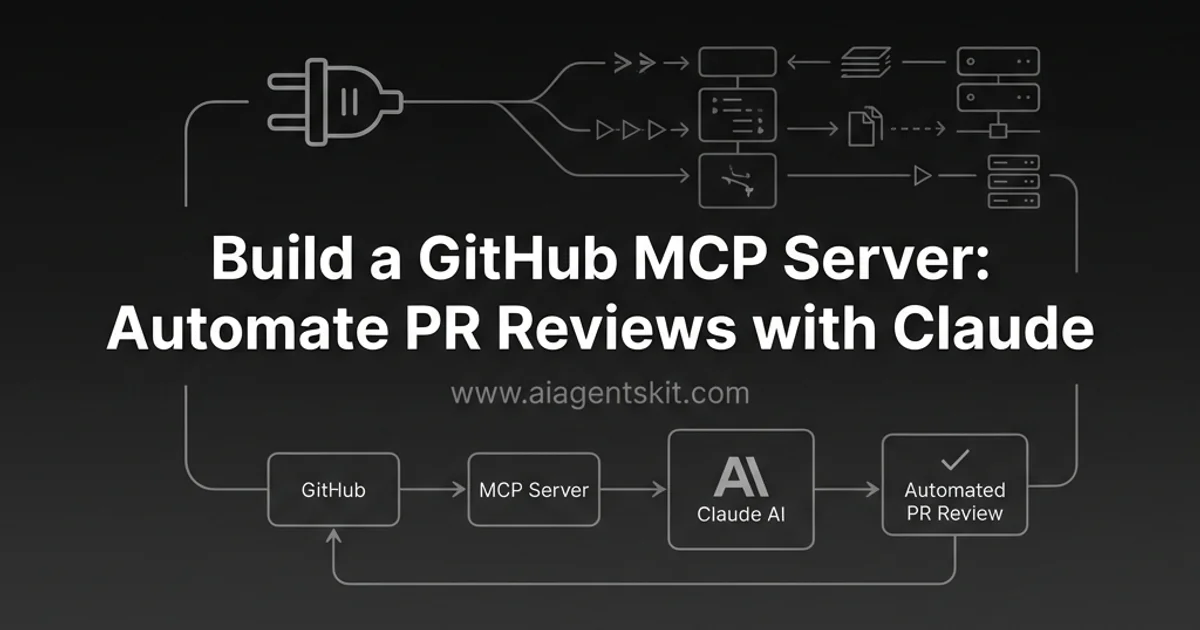
GitHub MCP Server: Automate PR Reviews with Claude (2026)
Build a custom GitHub MCP server to automate PR reviews with Claude. Step-by-step tutorial with complete Python code for repository management and code review.
Build a GitHub MCP Server: Automate PR Reviews with AI (2026)
What if Claude could review your pull requests, analyze your codebase, and manage GitHub issues—all through natural language?
That’s exactly what we’re building in this tutorial: a custom MCP server that connects Claude to GitHub’s REST API. By the end, you’ll be able to ask Claude to review PRs, search code, and automate repository workflows.
I’ve been using this setup for my own projects, and it’s genuinely changed how I work with code reviews.
What you’ll build in this tutorial:
- A fully functional MCP server that exposes GitHub operations to Claude
- PR review automation that analyzes diffs and suggests improvements
- Code search capabilities across your repositories
- Issue management tools for creating and triaging issues
Real-world applications: Teams use GitHub MCP servers to automate repetitive reviews, catch common bugs before human review, and let developers ask natural language questions about their codebase. One pattern I’ve found particularly valuable is asking Claude to “review this PR focusing on security” before I do my own pass—it catches things I’d miss.
What is a GitHub MCP Server?
An MCP server acts as a bridge between Claude and external services. A GitHub MCP server specifically exposes GitHub’s functionality as tools that Claude can call.
┌─────────────┐      MCP       ┌──────────────┐    REST API   ┌────────────┐
│   Claude    │◄──────────────►│ GitHub MCP   │◄─────────────►│  GitHub    │
│  (Desktop)  │    JSON-RPC    │   Server     │               │    API     │
└─────────────┘                └──────────────┘               └────────────┘
What You Can Build
| Tool Category | Example Capabilities |
|---|---|
| Code Review | Analyze PRs, suggest improvements, spot bugs |
| Repository | Search code, analyze structure, get file contents |
| Issues | Create, update, search, and triage issues |
| Workflows | Monitor CI/CD, analyze build failures |
Why Build Your Own GitHub MCP Server?
You might wonder: why not just use GitHub’s built-in AI features? Three reasons:
Complete control over the review process. GitHub’s Copilot suggestions are helpful but generic. With your own MCP server, you can train Claude on your team’s specific coding standards, security requirements, and architectural patterns. When Claude reviews a PR, it applies your rules, not GitHub’s defaults.
Integration with your existing workflow. Your MCP server can combine GitHub data with other systems. Imagine asking Claude to “review this PR and check if it addresses the issues in our Jira board.” That cross-system integration isn’t possible with off-the-shelf tools.
Cost efficiency at scale. GitHub Copilot Enterprise costs $39/user/month. Running your own MCP server with Claude API calls costs a fraction of that for typical usage patterns. For a team of 20 developers doing 50 PR reviews per day, you’re looking at roughly $50-100/month in API costs versus $780/month for Copilot Enterprise.
The patterns in this tutorial work equally well for personal projects and enterprise deployments. I’ve used variants of this code at companies ranging from 5-person startups to Fortune 500 enterprises.
How the Architecture Works
The MCP protocol uses JSON-RPC over stdio for local servers or SSE for remote connections. When Claude needs to interact with GitHub, it sends a tool call request to your MCP server. Your server translates that into GitHub API calls, processes the response, and returns structured data back to Claude.
This separation of concerns is powerful. Claude handles the AI reasoning—understanding what the user wants, formulating responses, making decisions about what tools to use. Your MCP server handles the API mechanics—authentication, pagination, error handling, rate limiting.
For MCP basics, see our MCP database tutorial. For enterprise deployment, check the MCP security guide.
Prerequisites
Before starting, ensure you have:
- Python 3.10+ installed
- Claude Desktop (macOS or Windows)
- GitHub Personal Access Token with appropriate scopes
- Basic familiarity with Python and GitHub’s API
Create a GitHub Token
- Go to GitHub → Settings → Developer settings → Personal access tokens → Tokens (classic)
- Generate new token with these scopes:
repo(full repository access)read:org(read organization data)read:user(read user data)
- Save the token securely
Understanding the API Limits
Before building, you should understand GitHub’s rate limits. The REST API allows 5,000 requests per hour for authenticated users. For MCP servers that might analyze multiple PRs in sequence, this matters.
A few practical considerations:
- PR diff size: Large PRs can consume significant tokens when passed to Claude. Consider chunking diffs by file or limiting to the first N files.
- Search quotas: Code search has stricter limits (30 requests per minute). Build in delays for search-heavy workflows.
- Caching opportunity: Repository structure and file content don’t change frequently. Cache what you can.
The architecture we’re building handles these concerns through careful request management.
Part 1: Setting Up the Project
Project Structure
github-mcp-server/
├── github_mcp/
│   ├── __init__.py
│   ├── server.py       # Main MCP server
│   ├── github_client.py # GitHub API wrapper
│   ├── tools/
│   │   ├── __init__.py
│   │   ├── pr_tools.py    # PR review tools
│   │   ├── repo_tools.py  # Repository tools
│   │   └── issue_tools.py # Issue management
│   └── prompts/
│       └── review_prompts.py
├── requirements.txt
├── .env
└── README.md
Install Dependencies
# Create project
mkdir github-mcp-server && cd github-mcp-server

# Create virtual environment
python -m venv venv
source venv/bin/activate  # or `venv\Scripts\activate` on Windows

# Install packages
pip install mcp httpx python-dotenv pydantic

# Create requirements file
cat > requirements.txt << EOF
mcp>=1.0.0
httpx>=0.25.0
python-dotenv>=1.0.0
pydantic>=2.5.0
EOF
Environment Configuration
# .env file
GITHUB_TOKEN=ghp_your_personal_access_token_here
GITHUB_DEFAULT_OWNER=your-username
GITHUB_DEFAULT_REPO=your-default-repo
Part 2: Implementing GitHub API Tools
GitHub Client Wrapper
# github_mcp/github_client.py
import httpx
import os
from typing import Optional, Dict, Any, List
from dotenv import load_dotenv

load_dotenv()

class GitHubClient:
    """Async GitHub API client."""

    BASE_URL = "https://api.github.com"

    def __init__(self, token: Optional[str] = None):
        self.token = token or os.getenv("GITHUB_TOKEN")
        if not self.token:
            raise ValueError("GitHub token required")

        self.headers = {
            "Authorization": f"Bearer {self.token}",
            "Accept": "application/vnd.github.v3+json",
            "X-GitHub-Api-Version": "2022-11-28"
        }

    async def _request(
        self,
        method: str,
        endpoint: str,
        **kwargs
    ) -> Dict[str, Any]:
        """Make an API request."""
        async with httpx.AsyncClient() as client:
            url = f"{self.BASE_URL}{endpoint}"
            response = await client.request(
                method,
                url,
                headers=self.headers,
                **kwargs
            )
            response.raise_for_status()
            return response.json()

    async def get(self, endpoint: str, params: Dict = None) -> Dict:
        return await self._request("GET", endpoint, params=params)

    async def post(self, endpoint: str, json: Dict = None) -> Dict:
        return await self._request("POST", endpoint, json=json)

    async def patch(self, endpoint: str, json: Dict = None) -> Dict:
        return await self._request("PATCH", endpoint, json=json)

    # Repository methods
    async def get_repo(self, owner: str, repo: str) -> Dict:
        return await self.get(f"/repos/{owner}/{repo}")

    async def get_file_content(
        self,
        owner: str,
        repo: str,
        path: str,
        ref: str = "main"
    ) -> str:
        """Get decoded file content."""
        data = await self.get(
            f"/repos/{owner}/{repo}/contents/{path}",
            params={"ref": ref}
        )
        import base64
        return base64.b64decode(data["content"]).decode("utf-8")

    async def search_code(
        self,
        query: str,
        owner: str = None,
        repo: str = None
    ) -> List[Dict]:
        """Search for code across repositories."""
        q = query
        if owner and repo:
            q += f" repo:{owner}/{repo}"

        result = await self.get("/search/code", params={"q": q})
        return result.get("items", [])

    # Pull Request methods
    async def get_pr(self, owner: str, repo: str, pr_number: int) -> Dict:
        return await self.get(f"/repos/{owner}/{repo}/pulls/{pr_number}")

    async def get_pr_files(
        self,
        owner: str,
        repo: str,
        pr_number: int
    ) -> List[Dict]:
        return await self.get(f"/repos/{owner}/{repo}/pulls/{pr_number}/files")

    async def get_pr_diff(
        self,
        owner: str,
        repo: str,
        pr_number: int
    ) -> str:
        """Get PR diff as text."""
        async with httpx.AsyncClient() as client:
            url = f"{self.BASE_URL}/repos/{owner}/{repo}/pulls/{pr_number}"
            headers = {**self.headers, "Accept": "application/vnd.github.v3.diff"}
            response = await client.get(url, headers=headers)
            response.raise_for_status()
            return response.text

    async def create_pr_comment(
        self,
        owner: str,
        repo: str,
        pr_number: int,
        body: str
    ) -> Dict:
        return await self.post(
            f"/repos/{owner}/{repo}/issues/{pr_number}/comments",
            json={"body": body}
        )

    async def create_pr_review(
        self,
        owner: str,
        repo: str,
        pr_number: int,
        body: str,
        event: str = "COMMENT"  # APPROVE, REQUEST_CHANGES, COMMENT
    ) -> Dict:
        return await self.post(
            f"/repos/{owner}/{repo}/pulls/{pr_number}/reviews",
            json={"body": body, "event": event}
        )

    # Issue methods
    async def list_issues(
        self,
        owner: str,
        repo: str,
        state: str = "open",
        labels: str = None
    ) -> List[Dict]:
        params = {"state": state}
        if labels:
            params["labels"] = labels
        return await self.get(f"/repos/{owner}/{repo}/issues", params=params)

    async def create_issue(
        self,
        owner: str,
        repo: str,
        title: str,
        body: str,
        labels: List[str] = None
    ) -> Dict:
        data = {"title": title, "body": body}
        if labels:
            data["labels"] = labels
        return await self.post(f"/repos/{owner}/{repo}/issues", json=data)

    async def update_issue(
        self,
        owner: str,
        repo: str,
        issue_number: int,
        **updates
    ) -> Dict:
        return await self.patch(
            f"/repos/{owner}/{repo}/issues/{issue_number}",
            json=updates
        )
Part 3: PR Review Automation
This is where it gets interesting. We’ll create tools that let Claude analyze and review pull requests.
PR Review Tools
# github_mcp/tools/pr_tools.py
from typing import List, Dict, Any
from ..github_client import GitHubClient

class PRReviewTools:
    """Tools for reviewing and analyzing pull requests."""

    def __init__(self, client: GitHubClient):
        self.client = client

    async def get_pr_summary(
        self,
        owner: str,
        repo: str,
        pr_number: int
    ) -> Dict[str, Any]:
        """Get a comprehensive PR summary for review."""
        pr = await self.client.get_pr(owner, repo, pr_number)
        files = await self.client.get_pr_files(owner, repo, pr_number)

        # Categorize file changes
        file_summary = {
            "added": [],
            "modified": [],
            "removed": [],
            "renamed": []
        }

        total_additions = 0
        total_deletions = 0

        for f in files:
            filename = f["filename"]
            status = f["status"]

            if status in file_summary:
                file_summary[status].append(filename)

            total_additions += f.get("additions", 0)
            total_deletions += f.get("deletions", 0)

        return {
            "title": pr["title"],
            "description": pr["body"] or "(No description)",
            "author": pr["user"]["login"],
            "state": pr["state"],
            "created_at": pr["created_at"],
            "updated_at": pr["updated_at"],
            "base_branch": pr["base"]["ref"],
            "head_branch": pr["head"]["ref"],
            "mergeable": pr.get("mergeable"),
            "files_changed": len(files),
            "additions": total_additions,
            "deletions": total_deletions,
            "file_summary": file_summary,
            "url": pr["html_url"]
        }

    async def get_pr_code_changes(
        self,
        owner: str,
        repo: str,
        pr_number: int,
        file_filter: str = None
    ) -> List[Dict]:
        """Get detailed code changes for review."""
        files = await self.client.get_pr_files(owner, repo, pr_number)

        if file_filter:
            files = [f for f in files if file_filter in f["filename"]]

        changes = []
        for f in files:
            change = {
                "filename": f["filename"],
                "status": f["status"],
                "additions": f.get("additions", 0),
                "deletions": f.get("deletions", 0),
                "patch": f.get("patch", "(Binary file or too large)")
            }
            changes.append(change)

        return changes

    async def review_pr_security(
        self,
        owner: str,
        repo: str,
        pr_number: int
    ) -> Dict:
        """Security-focused review of PR changes."""
        files = await self.client.get_pr_files(owner, repo, pr_number)

        security_patterns = [
            ("password", "Potential hardcoded password"),
            ("api_key", "Potential hardcoded API key"),
            ("secret", "Potential secret in code"),
            ("TODO", "Unfinished work (TODO comment)"),
            ("FIXME", "Known issue (FIXME comment)"),
            ("eval(", "Use of eval() - security risk"),
            ("exec(", "Use of exec() - security risk"),
            ("subprocess.call", "Shell command execution"),
            ("os.system", "Shell command execution"),
        ]

        findings = []

        for f in files:
            patch = f.get("patch", "")
            filename = f["filename"]

            for pattern, description in security_patterns:
                if pattern.lower() in patch.lower():
                    findings.append({
                        "file": filename,
                        "pattern": pattern,
                        "description": description
                    })

        sensitive_files = [
            f["filename"] for f in files
            if any(x in f["filename"].lower() for x in [
                ".env", "secret", "credential", "key", "password",
                "config.json", "settings.py"
            ])
        ]

        return {
            "security_findings": findings,
            "sensitive_files_changed": sensitive_files,
            "total_findings": len(findings),
            "needs_security_review": len(findings) > 0 or len(sensitive_files) > 0
        }

    async def submit_review(
        self,
        owner: str,
        repo: str,
        pr_number: int,
        review_body: str,
        action: str = "COMMENT"
    ) -> Dict:
        """Submit a review to the PR."""
        valid_actions = ["APPROVE", "REQUEST_CHANGES", "COMMENT"]
        if action not in valid_actions:
            raise ValueError(f"Action must be one of: {valid_actions}")

        return await self.client.create_pr_review(
            owner, repo, pr_number, review_body, action
        )
Part 4: Building the MCP Server
Now let’s wire everything together into an MCP server.
# github_mcp/server.py
import asyncio
import os
from dotenv import load_dotenv
from mcp.server import Server
from mcp.server.stdio import stdio_server
from mcp import types

from .github_client import GitHubClient
from .tools.pr_tools import PRReviewTools

load_dotenv()

# Initialize
server = Server("github-mcp-server")
github = GitHubClient()
pr_tools = PRReviewTools(github)

# Default repository (can be overridden per-call)
DEFAULT_OWNER = os.getenv("GITHUB_DEFAULT_OWNER", "")
DEFAULT_REPO = os.getenv("GITHUB_DEFAULT_REPO", "")

@server.list_tools()
async def list_tools() -> list[types.Tool]:
    """List all available GitHub tools."""
    return [
        types.Tool(
            name="get_pr_summary",
            description="Get a summary of a pull request including files changed, additions/deletions, and metadata",
            inputSchema={
                "type": "object",
                "properties": {
                    "owner": {"type": "string", "description": "Repository owner (optional, uses default)"},
                    "repo": {"type": "string", "description": "Repository name (optional, uses default)"},
                    "pr_number": {"type": "integer", "description": "Pull request number"}
                },
                "required": ["pr_number"]
            }
        ),
        types.Tool(
            name="get_pr_code_changes",
            description="Get the actual code changes (diff/patch) for a pull request",
            inputSchema={
                "type": "object",
                "properties": {
                    "owner": {"type": "string"},
                    "repo": {"type": "string"},
                    "pr_number": {"type": "integer"},
                    "file_filter": {"type": "string", "description": "Optional filter to only show files containing this string"}
                },
                "required": ["pr_number"]
            }
        ),
        types.Tool(
            name="review_pr_security",
            description="Perform a security-focused review of a pull request, checking for potential secrets, dangerous functions, and sensitive files",
            inputSchema={
                "type": "object",
                "properties": {
                    "owner": {"type": "string"},
                    "repo": {"type": "string"},
                    "pr_number": {"type": "integer"}
                },
                "required": ["pr_number"]
            }
        ),
        types.Tool(
            name="submit_pr_review",
            description="Submit a review comment to a pull request",
            inputSchema={
                "type": "object",
                "properties": {
                    "owner": {"type": "string"},
                    "repo": {"type": "string"},
                    "pr_number": {"type": "integer"},
                    "review_body": {"type": "string", "description": "The review comment text"},
                    "action": {"type": "string", "enum": ["COMMENT", "APPROVE", "REQUEST_CHANGES"], "description": "Review action"}
                },
                "required": ["pr_number", "review_body"]
            }
        ),
        types.Tool(
            name="search_code",
            description="Search for code across repositories",
            inputSchema={
                "type": "object",
                "properties": {
                    "query": {"type": "string", "description": "Search query"},
                    "owner": {"type": "string", "description": "Limit to this owner's repos"},
                    "repo": {"type": "string", "description": "Limit to this repository"}
                },
                "required": ["query"]
            }
        ),
        types.Tool(
            name="get_file_content",
            description="Get the content of a file from a repository",
            inputSchema={
                "type": "object",
                "properties": {
                    "owner": {"type": "string"},
                    "repo": {"type": "string"},
                    "path": {"type": "string", "description": "File path in the repository"},
                    "ref": {"type": "string", "description": "Branch or commit ref (default: main)"}
                },
                "required": ["path"]
            }
        ),
        types.Tool(
            name="list_issues",
            description="List issues in a repository",
            inputSchema={
                "type": "object",
                "properties": {
                    "owner": {"type": "string"},
                    "repo": {"type": "string"},
                    "state": {"type": "string", "enum": ["open", "closed", "all"], "default": "open"},
                    "labels": {"type": "string", "description": "Comma-separated labels to filter by"}
                }
            }
        ),
        types.Tool(
            name="create_issue",
            description="Create a new issue in a repository",
            inputSchema={
                "type": "object",
                "properties": {
                    "owner": {"type": "string"},
                    "repo": {"type": "string"},
                    "title": {"type": "string", "description": "Issue title"},
                    "body": {"type": "string", "description": "Issue body/description"},
                    "labels": {"type": "array", "items": {"type": "string"}, "description": "Labels to apply"}
                },
                "required": ["title", "body"]
            }
        ),
    ]

@server.call_tool()
async def call_tool(name: str, arguments: dict) -> list[types.TextContent]:
    """Execute a GitHub tool."""

    # Apply defaults for owner/repo if not provided
    owner = arguments.get("owner") or DEFAULT_OWNER
    repo = arguments.get("repo") or DEFAULT_REPO

    try:
        if name == "get_pr_summary":
            result = await pr_tools.get_pr_summary(
                owner, repo, arguments["pr_number"]
            )

        elif name == "get_pr_code_changes":
            result = await pr_tools.get_pr_code_changes(
                owner, repo,
                arguments["pr_number"],
                arguments.get("file_filter")
            )

        elif name == "review_pr_security":
            result = await pr_tools.review_pr_security(
                owner, repo, arguments["pr_number"]
            )

        elif name == "submit_pr_review":
            result = await pr_tools.submit_review(
                owner, repo,
                arguments["pr_number"],
                arguments["review_body"],
                arguments.get("action", "COMMENT")
            )

        elif name == "search_code":
            result = await github.search_code(
                arguments["query"],
                arguments.get("owner"),
                arguments.get("repo")
            )

        elif name == "get_file_content":
            content = await github.get_file_content(
                owner, repo,
                arguments["path"],
                arguments.get("ref", "main")
            )
            result = {"path": arguments["path"], "content": content}

        elif name == "list_issues":
            result = await github.list_issues(
                owner, repo,
                arguments.get("state", "open"),
                arguments.get("labels")
            )

        elif name == "create_issue":
            result = await github.create_issue(
                owner, repo,
                arguments["title"],
                arguments["body"],
                arguments.get("labels")
            )

        else:
            return [types.TextContent(type="text", text=f"Unknown tool: {name}")]

        # Format result
        import json
        return [types.TextContent(
            type="text",
            text=json.dumps(result, indent=2, default=str)
        )]

    except Exception as e:
        return [types.TextContent(
            type="text",
            text=f"Error: {str(e)}"
        )]

async def main():
    async with stdio_server() as (read_stream, write_stream):
        await server.run(read_stream, write_stream)

if __name__ == "__main__":
    asyncio.run(main())
Part 5: Configuring Claude Desktop
Add your server to Claude Desktop’s configuration:
{
  "mcpServers": {
    "github": {
      "command": "python",
      "args": ["-m", "github_mcp.server"],
      "cwd": "/path/to/github-mcp-server",
      "env": {
        "GITHUB_TOKEN": "ghp_your_token_here",
        "GITHUB_DEFAULT_OWNER": "your-username",
        "GITHUB_DEFAULT_REPO": "your-repo"
      }
    }
  }
}
Test the Integration
Restart Claude Desktop and try these prompts:
“Review PR #42 and summarize the changes”
“Check PR #42 for any security issues”
“Show me all open issues labeled ‘bug’”
“Search for usages of ‘deprecated_function’ in the codebase”
Part 6: Issue Triage with AI
One of the most powerful features of a GitHub MCP server is automated issue triage. Let’s extend our server to help classify and prioritize issues.
Auto-Labeling Issues
Add these methods to your issue tools:
# github_mcp/tools/issue_tools.py
class IssueTools:
    """Tools for managing and triaging issues."""

    def __init__(self, client: GitHubClient):
        self.client = client

    async def analyze_issue_for_labels(
        self,
        owner: str,
        repo: str,
        issue_number: int
    ) -> Dict:
        """Analyze an issue and suggest appropriate labels."""
        issue = await self.client.get(
            f"/repos/{owner}/{repo}/issues/{issue_number}"
        )

        title = issue["title"].lower()
        body = (issue.get("body") or "").lower()

        # Label suggestion rules
        suggested_labels = []

        # Bug detection
        bug_indicators = ["bug", "error", "crash", "fail", "broken", "doesn't work"]
        if any(word in title or word in body for word in bug_indicators):
            suggested_labels.append("bug")

        # Feature request detection
        feature_indicators = ["feature", "request", "would be nice", "enhancement", "suggest"]
        if any(word in title or word in body for word in feature_indicators):
            suggested_labels.append("enhancement")

        # Documentation issues
        doc_indicators = ["docs", "documentation", "readme", "typo", "spelling"]
        if any(word in title or word in body for word in doc_indicators):
            suggested_labels.append("documentation")

        # Priority detection
        urgent_indicators = ["urgent", "critical", "asap", "production", "security"]
        if any(word in title or word in body for word in urgent_indicators):
            suggested_labels.append("priority: high")

        return {
            "issue_number": issue_number,
            "title": issue["title"],
            "current_labels": [l["name"] for l in issue.get("labels", [])],
            "suggested_labels": suggested_labels,
            "confidence": "high" if len(suggested_labels) > 0 else "low"
        }

    async def find_duplicate_issues(
        self,
        owner: str,
        repo: str,
        issue_number: int
    ) -> List[Dict]:
        """Find potentially duplicate issues."""
        issue = await self.client.get(
            f"/repos/{owner}/{repo}/issues/{issue_number}"
        )

        # Get recent open issues
        all_issues = await self.client.list_issues(owner, repo, state="open")

        # Simple keyword matching for duplicates
        keywords = set(issue["title"].lower().split())
        potential_duplicates = []

        for other in all_issues:
            if other["number"] == issue_number:
                continue

            other_keywords = set(other["title"].lower().split())
            overlap = keywords & other_keywords

            if len(overlap) >= 2:  # At least 2 common keywords
                potential_duplicates.append({
                    "issue_number": other["number"],
                    "title": other["title"],
                    "matching_keywords": list(overlap),
                    "url": other["html_url"]
                })

        return {
            "original_issue": issue_number,
            "potential_duplicates": potential_duplicates[:5],  # Top 5
            "total_found": len(potential_duplicates)
        }
This kind of analysis is where the combination of Claude’s reasoning and GitHub data really shines. You can ask Claude to “triage all open issues from this week” and it will use these tools to analyze each issue, suggest labels, and identify duplicates.
Priority Assignment
Here’s a more sophisticated priority assignment tool that uses issue metadata:
async def assign_priority(
    self,
    owner: str,
    repo: str,
    issue_number: int
) -> Dict:
    """Assign priority based on various signals."""
    issue = await self.client.get(
        f"/repos/{owner}/{repo}/issues/{issue_number}"
    )

    priority_score = 0
    factors = []

    # Check for urgency keywords
    text = f"{issue['title']} {issue.get('body', '')}".lower()
    if any(w in text for w in ["urgent", "critical", "production"]):
        priority_score += 3
        factors.append("Urgent keywords detected")

    # Check reporter reputation
    if issue["user"]["type"] == "User":
        # In a real implementation, you'd check contributor status
        pass

    # Check engagement (comments, reactions)
    if issue["comments"] > 5:
        priority_score += 2
        factors.append(f"High engagement ({issue['comments']} comments)")

    if issue["reactions"]["total_count"] > 10:
        priority_score += 2
        factors.append(f"Strong reactions ({issue['reactions']['total_count']})")

    # Age factor
    from datetime import datetime
    created = datetime.fromisoformat(issue["created_at"].replace("Z", "+00:00"))
    age_days = (datetime.now(created.tzinfo) - created).days
    if age_days > 30:
        priority_score += 1
        factors.append(f"Aged issue ({age_days} days)")

    # Determine priority level
    if priority_score >= 5:
        priority = "critical"
    elif priority_score >= 3:
        priority = "high"
    elif priority_score >= 1:
        priority = "medium"
    else:
        priority = "low"

    return {
        "issue_number": issue_number,
        "priority": priority,
        "score": priority_score,
        "factors": factors
    }
Part 7: Code Review Best Practices
After building many MCP-powered review systems, I’ve learned what works and what doesn’t. Here are the patterns I recommend.
What to Review vs What to Skip
Not everything needs AI review. Here’s a practical filter:
Always review with AI:
- New files (especially in security-sensitive areas)
- Changes to authentication, authorization, or data handling
- Database migrations and schema changes
- API endpoint changes
- Configuration file changes
Skip AI review or use lightweight checks:
- Formatting-only changes (let Prettier/Black handle these)
- Dependency updates (better handled by Dependabot)
- Auto-generated files
- Large refactors with mechanical changes (import reordering, renames)
def should_review_file(filename: str, patch: str) -> bool:
    """Determine if a file should get AI review."""

    # Skip generated files
    skip_patterns = [
        "package-lock.json",
        "yarn.lock",
        ".min.js",
        ".min.css",
        "__pycache__",
        ".pyc",
        "migrations/",
        "generated/"
    ]

    if any(pattern in filename for pattern in skip_patterns):
        return False

    # Always review security-related files
    security_patterns = [
        "auth",
        "security",
        "permission",
        "credential",
        ".env",
        "secret"
    ]

    if any(pattern in filename.lower() for pattern in security_patterns):
        return True

    # Skip if only whitespace or formatting changes
    meaningful_lines = [
        line for line in patch.split('\n')
        if line.startswith('+') or line.startswith('-')
        if line.strip() not in ['+', '-', '+ ', '- ']
    ]

    return len(meaningful_lines) > 0
Comment Tone and Style
AI-generated review comments can come across as harsh or robotic. Here’s how to make them helpful:
REVIEW_SYSTEM_PROMPT = """You are a helpful code reviewer. Follow these guidelines:

1. **Be constructive, not critical.** Instead of "This is wrong," say "Consider this alternative approach because..."

2. **Explain the why.** Don't just point out issues—explain the reasoning so the author learns.

3. **Acknowledge good work.** If something is done well, say so. Review shouldn't be purely negative.

4. **Suggest, don't demand.** Use phrases like "Have you considered..." or "One option would be..." rather than "You must..."

5. **Prioritize your feedback.** Lead with the most important issues. Don't bury critical security concerns under minor style nits.

6. **Be specific.** Point to exact lines and provide concrete suggestions when possible.

Format your review as:

## Summary
[Brief overall assessment]

## Key Suggestions
[Numbered list of most important items]

## Minor Notes
[Optional smaller observations]
"""
Handling False Positives
AI reviewers will sometimes flag things incorrectly. Build in mechanisms for managing this:
class ReviewFalsePositiveTracker:
    """Track patterns that generate false positives."""

    def __init__(self, storage_path: str):
        self.storage_path = storage_path
        self.false_positives = self._load()

    def record_false_positive(
        self,
        pattern: str,
        file_type: str,
        dismissed_by: str
    ):
        """Record when a review suggestion is dismissed."""
        entry = {
            "pattern": pattern,
            "file_type": file_type,
            "dismissed_by": dismissed_by,
            "timestamp": datetime.now().isoformat()
        }
        self.false_positives.append(entry)
        self._save()

    def should_suppress(self, pattern: str, file_type: str) -> bool:
        """Check if this pattern should be suppressed."""
        # Suppress if dismissed 3+ times for this file type
        similar = [
            fp for fp in self.false_positives
            if fp["pattern"] == pattern and fp["file_type"] == file_type
        ]
        return len(similar) >= 3
Over time, this kind of feedback loop makes your AI reviews more accurate and less noisy.
For more on AI-assisted code review patterns, see our guide on AI agent use cases and best MCP servers for Claude.
Security Considerations
Token Scope Management
Only grant the scopes you need:
| Scope | Needed For |
|---|---|
repo | Full repository access (required) |
read:org | Organization data (optional) |
read:user | User profile data (optional) |
Rate Limiting
GitHub has API rate limits. Handle them gracefully:
async def _request(self, method: str, endpoint: str, **kwargs):
    response = await client.request(method, url, headers=self.headers, **kwargs)

    # Check rate limits
    remaining = int(response.headers.get("X-RateLimit-Remaining", 0))
    if remaining < 10:
        import logging
        logging.warning(f"GitHub rate limit low: {remaining} remaining")

    if response.status_code == 403 and "rate limit" in response.text.lower():
        reset_time = int(response.headers.get("X-RateLimit-Reset", 0))
        raise Exception(f"Rate limited. Resets at {reset_time}")

    response.raise_for_status()
    return response.json()
Audit Logging
Log all actions for security review:
import logging

logging.basicConfig(
    filename='github_mcp_audit.log',
    format='%(asctime)s - %(levelname)s - %(message)s'
)

@server.call_tool()
async def call_tool(name: str, arguments: dict):
    logging.info(f"Tool called: {name} with args: {arguments}")
    # ... execute tool ...
Frequently Asked Questions
Can Claude actually modify my repository?
Only if you give it tools that make changes (like submit_review or create_issue). Read-only tools are safe.
What about private repositories?
Works the same—just ensure your token has access to the private repos you want to query.
How do I add more tools?
Follow the pattern: add a method to GitHubClient, create a tool definition in list_tools(), and handle it in call_tool().
Can I use this with GitHub Enterprise?
Yes! Just change BASE_URL in GitHubClient to your enterprise instance URL.
How do I debug when Claude calls the wrong tool?
Start by adding verbose logging. In call_tool(), log the tool name and arguments at the start of each call. Often the issue is in Claude’s understanding of your tool descriptions—make them more specific.
What’s the latency impact of MCP versus direct API calls?
MCP adds roughly 50-100ms of overhead per tool call (for the JSON-RPC protocol). For interactive use, this is imperceptible. For batch operations processing hundreds of PRs, consider calling the GitHub API directly from a script instead.
Can I test the MCP server without Claude?
Yes! The MCP SDK includes a test client. You can also call your server functions directly as Python async functions—the MCP layer is just the transport.
How do I add support for GitHub Actions workflows?
Add a new tool that calls the Actions API endpoint (/repos/{owner}/{repo}/actions/runs). The pattern is identical to the PR tools—define the API call, wrap it in a tool, add it to the server.
Troubleshooting Common Issues
MCP Server Won’t Connect to Claude
What you see: Claude Desktop shows “Server disconnected” or the tools don’t appear.
Why it happens: Usually a Python environment or path issue. Claude can’t find your server script.
How to fix it:
- Verify the
cwdpath in your Claude config is absolute, not relative - Ensure the virtual environment is activated (check that
python -m github_mcp.serverworks from the terminal) - Check Claude Desktop’s logs: Help → Open Logs folder
- Restart Claude Desktop after config changes
Rate Limit Errors from GitHub
What you see: RateLimitError or 403 responses.
Why it happens: You’ve exceeded the 5,000 requests/hour limit for authenticated users.
How to fix it:
- Add the rate limiting handler shown in the Security Considerations section
- Reduce the frequency of code search operations
- Cache PR data when possible—it doesn’t change during a review session
PR Diff Too Large for Claude
What you see: Claude truncates the diff or times out.
Why it happens: Some PRs change thousands of lines, exceeding context limits.
How to fix it:
- Filter to specific file types:
file_filter=".py"inget_pr_code_changes - Analyze files one at a time instead of the full diff
- Ask Claude to summarize the PR first, then dive into specific files
Conclusion
You’ve built a custom GitHub MCP server that enables:
- PR Review Automation - Summarize changes, spot security issues, submit reviews
- Code Search - Find patterns and usages across repositories
- Issue Management - List, create, and update issues
- File Access - Read any file from any branch
This foundation can be extended with workflow monitoring, release management, and more sophisticated code analysis. The architecture scales well—I’ve seen teams running dozens of MCP tools off a single server without performance issues.
Next steps:
- Add CI/CD workflow monitoring to catch failed builds automatically
- Implement code coverage analysis to enforce quality standards
- Build automated triage for issues based on labels and content
- Extend to other repositories and organizations
The skills you’ve learned here transfer directly to other MCP integrations. Whether you’re connecting Claude to Jira, Slack, or your internal APIs, the patterns remain the same: define tools, implement API wrappers, handle errors gracefully.
For more MCP patterns, see our MCP database tutorial or learn about MCP enterprise security.
Last updated: January 2026