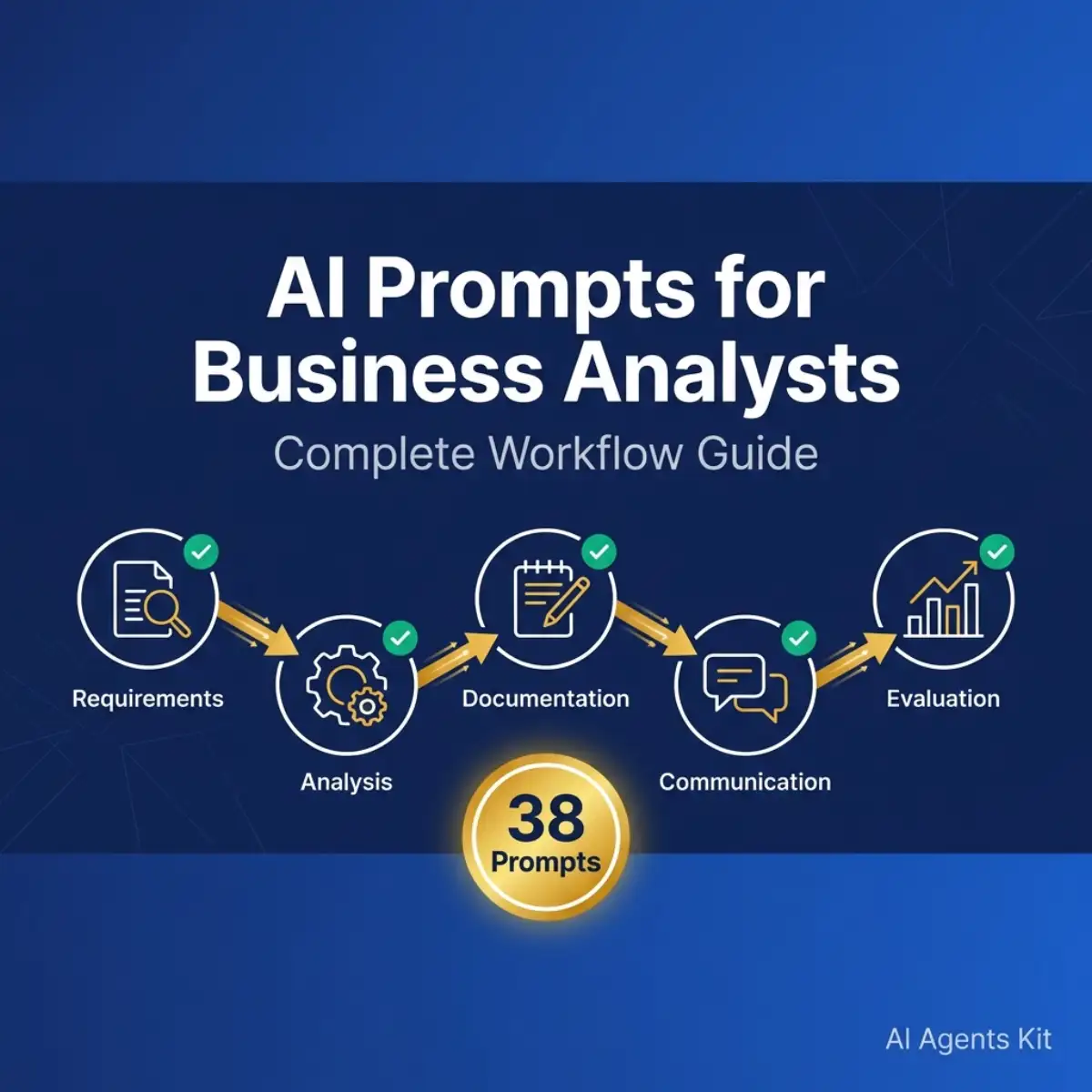
AI Prompts for Business Analysts: Complete Workflow Guide
Master business analysis with 38 AI prompts organized by workflow phase. From requirements gathering to solution evaluation - copy-paste templates that.
I’ll never forget the day I interviewed 15 different stakeholders for a CRM implementation project. The sales VP wanted automation. The customer service director wanted better reporting. The IT manager wanted zero customization. Everyone had a different vision—and it was my job as the business analyst to make sense of it all.
That process used to take me weeks. Now? With the right AI prompts, I can synthesize conflicting stakeholder requirements in hours, not days.
But here’s the thing: generic “business prompts” you find online won’t cut it. Business analysis has specific workflows, methodologies, and deliverables. You can’t just ask ChatGPT to “analyze this data” and expect professional-grade requirements documents.
This guide organizes 38 AI prompts by the actual BA workflow phases you use every day—from requirements gathering through solution evaluation. Each prompt includes the exact template, customization tips, and when to use it. No fluff, no random lists. Just prompts that fit into your existing process.
BA Workflow: Where AI Fits
Here’s how AI prompts map to your daily work:
| BA Workflow Phase | AI Prompt Categories | Example Use Case |
|---|---|---|
| Requirements Gathering | Interview prep, Template generation | Synthesize 15 stakeholder interviews |
| Data Analysis | Trend identification, Anomaly detection | Analyze sales patterns in 10 minutes |
| Process Documentation | Current/Future state, Gap analysis | Map “as-is” to “to-be” processes |
| User Stories & Use Cases | Story creation, Acceptance criteria | Convert requirements to dev tasks |
| Stakeholder Communication | Executive summaries, Technical translation | Present to C-level in their language |
| Solution Evaluation | Vendor comparison, Risk assessment | Evaluate 3 CRM platforms objectively |
Let’s dive into the prompts.
Quick Win: 5 Prompts Every BA Should Try Today
Start here. These five prompts deliver immediate value across different BA tasks:
1. Stakeholder Interview Synthesizer
Act as an experienced business analyst. I've conducted interviews with [number] stakeholders about [project]. Here are the raw notes: [paste notes].

Synthesize these into:
1. Common themes and priorities
2. Conflicting requirements (note which stakeholders disagree)
3. Critical pain points mentioned by multiple people
4. Suggested next steps for clarification

Format as a structured summary I can share with the project sponsor.
When to use: After completing multiple stakeholder interviews but before writing formal requirements.
Customization tip: Add “Pay special attention to [specific area]” if you suspect hidden issues.
2. Requirements Template Generator
Create a functional requirements document template for a [system type - e.g., CRM, inventory management system, customer portal] serving a [company size and industry].

Include sections for:
- Business objectives and success criteria
- User roles and permissions
- Functional requirements (organized by module)
- Non-functional requirements
- Acceptance criteria
- Assumptions and constraints

Follow IIBA BABOK best practices.
When to use: Starting a new project before you’ve drafted any requirements.
Customization tip: Specify your industry (healthcare, finance, retail) for compliance-specific sections.
3. Gap Analysis Creator
I'm analyzing the gap between our current state and desired future state.

Current state: [describe current process/system]
Future state vision: [describe desired outcome]
Constraints: [budget, timeline, technical limitations]

Identify gaps in these areas:
1. People (skills, training, organizational structure)
2. Process (workflow changes, new procedures needed)
3. Technology (systems, integrations, infrastructure)
4. Data (migration, cleanup, governance)

Prioritize by impact and effort.
When to use: During solution design phase when comparing “as-is” vs “to-be” states.
Customization tip: Add specific business metrics you’re trying to improve (e.g., “reduce order processing time from 3 days to 4 hours”).
4. Executive Summary Writer
Translate this technical analysis into executive language for C-level stakeholders:

[Paste your technical analysis, requirements document, or project update]

Create a one-page executive summary with:
- 3-4 bullet points of key findings
- Business impact (not technical details)
- Recommended action
- Risk summary (if any)

Use concrete business terms. Avoid technical jargon. Focus on ROI and strategic alignment.
When to use: Before any executive presentation or decision-making meeting.
Customization tip: Specify if your exec team prefers numbers (“quantify wherever possible”) or strategic narrative.
5. User Story Generator
Convert these business requirements into user stories following the Agile format:

[Paste business requirements]

For each user story, use this structure:
- As a [role], I want [goal] so that [benefit]
- Acceptance criteria (3-5 testable conditions)
- Story points estimate (S/M/L)

Organize by epic or feature area. Flag any requirements that need clarification before becoming stories.
When to use: When transitioning from requirements documentation to development backlog.
Customization tip: Add “Use persona names [Sales Manager Sarah, Customer Support Chris]” if you have defined personas.
Why Business Analysts Need Workflow-Specific Prompts
I used to use generic ChatGPT prompts from random blog posts. They gave me generic outputs.
The difference between a generic business prompt and a BA-optimized prompt is the context. BA work isn’t just “analyze data” or “write a document.” You’re synthesizing stakeholder input, following established methodologies (BABOK, Agile), navigating organizational politics, and producing specific deliverables with audit trails.
According to McKinsey’s 2025 AI report, 88% of organizations use AI in at least one business function. But only 6% are capturing significant enterprise-level value. The gap? Most teams are using AI generically, not integrating it into domain-specific workflows.
For business analysts specifically, Gartner predicts that by 2026, 40% of enterprise applications will incorporate task-specific AI agents—up from less than 5% in 2025. This means BAs who master AI prompting now will have a massive advantage.
Here’s a side-by-side comparison:
Generic Prompt: “Analyze this sales data and tell me what’s important.”
BA-Optimized Prompt: “Act as a business analyst reviewing Q4 sales data for our B2B SaaS company. Focus on customer churn patterns for enterprise accounts (>100 users). Compare to Q3 baseline. Identify top 3 trends affecting MRR. Present findings as an executive briefing with data-driven recommendations following our standard reporting format.”
See the difference? The BA prompt includes: role context, specific business domain, success metrics, comparison baseline, output format, and organizational standards.
Part 1: Requirements Gathering Prompts
Requirements gathering is where most BA projects live or die. Miss a critical requirement here, and you’re looking at scope creep and expensive change orders later.
Stakeholder Interview Preparation Prompts
Prompt #6: Discovery Question Generator
Act as an experienced business analyst preparing for discovery interviews about [project name/type].

Context:
- Industry: [industry]
- Stakeholder role: [title/department]
- Known pain points: [if any]
- Project objective: [high-level goal]

Generate 15-20 discovery questions covering:
1. Current state pain points and frustrations
2. Desired future state and success criteria
3. Process and workflow specifics
4. Data and integration needs
5. Stakeholder-specific concerns for their role

Include both open-ended questions and probing follow-ups.
When to use: Before each stakeholder interview to prepare targeted questions.
Customization tip: Add “This stakeholder tends to be [technical/non-technical]” to adjust question complexity.
Prompt #7: Pain Point Predictor
Based on this project context: [paste background, objectives, technical environment]

What are the likely pain points that stakeholders will mention? Consider:
- Process inefficiencies
- Data quality or access issues
- System limitations
- Organizational/political concerns
- Training and change management challenges

For each pain point, suggest:
1. Probing questions to uncover the full scope
2. Potential solutions to explore
3. Which stakeholder types will care most about this issue
When to use: During interview preparation to anticipate concerns you should dig into.
Customization tip: Include “Past projects in this area revealed [previous issues]” to build on known patterns.
Requirements Documentation Prompts
Prompt #8: Functional Requirements Generator
Create functional requirements for [system/feature name] based on these stakeholder inputs:

[Paste interview notes, meeting summaries, or business objectives]

Format each requirement as:
- REQ-ID: [FR-001, FR-002, etc.]
- Category: [module or functional area]
- Description: [specific, testable requirement]
- Priority: [Must have / Should have / Could have]
- Acceptance criteria: [how we'll know it's done]

Follow IEEE 830 or IIBA standards. Flag any ambiguous requirements that need stakeholder clarification.
When to use: Converting stakeholder needs into formal, traceable requirements.
Customization tip: Specify your numbering scheme if your organization uses a different format.
Prompt #9: Non-Functional Requirements Template
Draft non-functional requirements (NFRs) for [system description].

Cover these categories:
- Performance (response time, throughput, capacity)
- Security (authentication, authorization, data protection, compliance with [regulations])
- Usability (accessibility standards, user experience goals)
- Reliability (uptime, MTBF, disaster recovery)
- Scalability (user growth, data volume projections)
- Integration (APIs, data formats, third-party systems)

Make each NFR specific and measurable, not vague. Include acceptance thresholds.
When to use: After defining functional requirements, before technical design begins.
Customization tip: Add industry-specific compliance requirements (HIPAA for healthcare, SOC 2 for SaaS, etc.).
Prompt #10: Requirements Traceability Matrix
Create a requirements traceability matrix linking these elements:

Business Objectives: [list objectives]
Stakeholder Needs: [list needs]
Functional Requirements: [list or paste requirements]

Create a table showing:
- Business Objective → Which Stakeholder Needs it satisfies → Which Requirements deliver it
- Orphaned requirements (not linked to objectives)
- Unaddressed objectives (missing requirements)

Identify gaps where business objectives lack supporting requirements.
When to use: Mid-project to verify you’re not building unnecessary features or missing critical ones.
Learn more about how system prompts work to create reusable BA-specific instructions.
Part 2: Data Analysis & Insights Prompts
This is where AI really shines. I once spent 3 hours building Excel pivot tables to analyze quarterly sales patterns. ChatGPT Code Interpreter did the same analysis in 10 minutes.
But—and this is critical—I still validated every number. AI is excellent at pattern recognition and initial analysis. It’s terrible at understanding business context and domain-specific nuances.
Trend Identification Prompts
Prompt #11: Sales/Revenue Trend Analyzer
Analyze this sales/revenue data: [paste CSV data or summary]

Context:
- Business type: [B2B SaaS, retail, manufacturing, etc.]
- Time period: [Q1-Q4 2025, Jan-Dec, etc.]
- Key segments: [regions, products, customer types]

Identify:
1. Top 3 trends affecting revenue (growth or decline)
2. Seasonal patterns or anomalies
3. Best performing and worst performing segments
4. Leading indicators of future performance

Present as an executive briefing with data-backed recommendations.
When to use: Quarterly business reviews, budget planning, or when leadership asks “what’s happening with sales?”
Customization tip: Add specific metrics you track (MRR, ARR, CAC, LTV) for SaaS companies.
Prompt #12: Customer Feedback Pattern Recognition
I have customer feedback data from [source - surveys, support tickets, reviews]:

[Paste feedback data]

Analyze for:
1. Top 5 themes (both positive and negative)
2. Frequency of each theme
3. Correlation between themes (e.g., do customers who mention X also mention Y?)
4. Actionable insights for product/service improvement
5. Sentiment trends over time (if dated)

Flag any urgent issues that need immediate attention.
When to use: After collecting survey results or when synthesizing months of support tickets.
Customization tip: Specify “Focus on [specific feature or process]” if you’re investigating a particular area.
Anomaly Detection Prompts
Prompt #13: Data Outlier Investigation
Identify unusual patterns or outliers in this dataset:

[Paste data or describe key metrics]

For each anomaly:
1. What makes it unusual? (statistical deviation)
2. Possible business explanations (seasonal, one-time event, data error)
3. Suggested investigation steps
4. Risk level if this represents a real trend

Help me separate signal from noise.
When to use: When dashboards show unexpected spikes or drops that need explanation.
Customization tip: Include “Known factors: [holiday season, product launch, policy change]” to eliminate obvious causes.
Prompt #14: Financial Statement Anomaly Finder
Review this P&L statement / financial summary:

[Paste financial data]

Flag areas that deviate significantly from:
- Prior period comparison
- Budget/forecast
- Industry benchmarks (if known)

For each anomaly, generate hypotheses for investigation. Consider:
- Seasonal variations
- Accounting treatments
- One-time expenses
- Revenue recognition timing

Prioritize by materiality (dollar impact).
When to use: Monthly/quarterly financial review or when CFO asks “why are costs up 15%?”
Data Storytelling Prompts
Prompt #15: Executive Dashboard Insights
Create an executive dashboard outline based on this analysis:

[Paste your detailed analysis or raw data]

Design a single-page dashboard showing:
1. Top 3 KPIs (with trend arrows and % change)
2. One key insight per KPI (the "so what?")
3. 2-3 visualizations (describe what chart type and what it shows)
4. Recommended actions in plain business language

Focus on strategic decisions executives need to make, not operational details.
When to use: When translating detailed analytics into executive-level reporting.
Customization tip: Specify your BI tool (Power BI, Tableau, Looker) for tool-specific visualization recommendations.
Prompt #16: Data Narrative Builder
Transform this data analysis into a compelling business narrative:

[Paste numbers, findings, statistics]

Write a 3-paragraph story that:
1. Sets context (what we were trying to understand)
2. Reveals the insight (the surprising or important finding)
3. Recommends action (what we should do about it)

Use concrete numbers but focus on business impact, not statistical methods. Write for a non-technical audience.
When to use: Converting analysis into stakeholder-ready communications.
Explore more ChatGPT prompts for general business use.
Part 3: Process Mapping & Documentation Prompts
Here’s my hot take: stop manually documenting every process step. Let AI create the first draft in 5 minutes, then spend your valuable time on what AI can’t do—understanding why people work around the official process.
Current State Documentation Prompts
Prompt #17: Process Map Generator
Based on these interview notes and observations: [paste notes]

Create a current state ("as-is") process map for [process name].

Include:
- Process steps (sequential)
- Responsible roles for each step
- Systems/tools used
- Inputs and outputs
- Decision points
- Pain points or inefficiencies (noted from interviews)
- Handoffs between teams/systems

Format as a text-based workflow or BPMN-style description.
When to use: Documenting existing processes before redesign.
Customization tip: Add “Use swim lanes for [department names]” if creating cross-functional process maps.
Prompt #18: Workflow Documentation Template
Document the as-is workflow for [business process] in our [industry] company.

Based on this information: [paste observation notes, interview summaries]

Structure:
1. Process overview and purpose
2. Triggers (what initiates this process)
3. Step-by-step workflow with timing
4. Roles and responsibilities
5. Systems and data used
6. Success criteria and KPIs currently tracked
7. Known issues and workarounds

Note any areas where documented process differs from actual practice.
When to use: Creating comprehensive process documentation for training or analysis.
Future State Design Prompts
Prompt #19: To-Be Process Designer
Design an optimized future state ("to-be") process that addresses these current pain points:

Current issues:
[List specific problems, delays, error rates, manual steps]

Constraints:
- Budget: [range or limitations]
- Timeline: [implementation window]
- Technology: [available systems or planned additions]
- Change management: [organizational readiness]

Propose a redesigned process that:
1. Eliminates or automates manual steps
2. Reduces cycle time
3. Improves data quality/consistency
4. Provides better visibility

Include quick wins (immediate improvements) vs long-term enhancements.
When to use: Solution design phase after documenting current state.
Customization tip: Add “Prioritize [cost reduction / speed / quality / compliance]” based on business driver.
Prompt #20: Alternative Solution Comparison
Propose 3 alternative future state designs for [process]:

For each option, describe:
1. Key changes from current state
2. Implementation complexity (Low/Medium/High)
3. Estimated cost and timeline
4. Expected benefits and ROI
5. Risks and dependencies

Rank options by:
- Option A: Quick win (fastest to implement)
- Option B: Balanced (best cost/benefit)
- Option C: Transformational (biggest impact)

Help stakeholders choose based on their priorities.
When to use: When presenting options to decision-makers who need to weigh tradeoffs.
Gap Analysis Prompts
Prompt #21: People-Process-Technology Gap Analysis
Compare current state vs desired future state:

Current: [describe as-is]
Future: [describe to-be vision]

Identify gaps in:

**People:**
- Skills gaps (what training is needed?)
- Role changes (new positions, eliminated roles)
- Change resistance (where will pushback occur?)

**Process:**
- New workflows needed
- Procedures to document
- Governance and controls

**Technology:**
- System capabilities required
- Integrations needed
- Data migration or cleanup

**Data:**
- Data quality improvements
- New data collection
- Reporting changes

Prioritize gaps by impact and effort to close.
When to use: Creating implementation roadmap and identifying workstreams.
Prompt #22: Risk Identifier for Process Changes
What risks or challenges might we face transitioning from [current state] to [future state]?

Consider:
- Technical risks (system failures, integration issues)
- Business risks (revenue impact, customer dissatisfaction)
- Organizational risks (resistance, capability gaps)
- External risks (vendor dependence, regulatory)

For each risk:
1. Likelihood (Low/Medium/High)
2. Impact (Low/Medium/High)
3. Mitigation strategies
4. Contingency plans

Focus on risks that could derail the project.
When to use: Risk assessment during planning phase.
Read about chain-of-thought prompting for better AI reasoning on complex analysis.
Part 4: User Stories & Use Cases Prompts
User Story Creation Prompts
Prompt #23: Requirements-to-Stories Converter
Convert these business requirements into Agile user stories:

[Paste requirements document or section]

For each user story:
- Format: As a [role/persona], I want [goal] so that [business benefit]
- Acceptance criteria (3-5 testable conditions in Given-When-Then format)
- Story points estimate (Fibonacci: 1, 2, 3, 5, 8, 13)
- Dependencies (if any)
- Priority (MoSCoW: Must/Should/Could/Won't)

Organize by epic or feature area. Flag requirements that are too vague to convert without clarification.
When to use: Transitioning from traditional requirements to Agile development.
Customization tip: Include persona descriptions if your team uses specific user personas.
Prompt #24: User Story Prioritization
Prioritize these user stories using [MoSCoW / RICE / Value vs Effort]:

[Paste list of stories]

Criteria:
- Business value: [revenue impact, customer satisfaction, regulatory need]
- User impact: [how many users affected, how often used]
- Implementation complexity: [technical difficulty, dependencies]
- Strategic alignment: [company OKRs or initiative priorities]

Provide:
1. Ranked list with priority rationale
2. Suggested sprint groupings (if applicable)
3. Any "must have" items for MVP
4. Quick wins (high value, low effort)

Highlight any conflicts between business priority and technical sequencing.
When to use: Backlog grooming or sprint planning sessions.
Acceptance Criteria Prompts
Prompt #25: Acceptance Criteria Generator
For this user story: [paste story]

Generate comprehensive acceptance criteria using Given-When-Then format:

- Given [initial context/state]
- When [action occurs]
- Then [expected outcome]

Cover:
1. Happy path (normal successful flow)
2. Alternative paths (different valid scenarios)
3. Edge cases (boundary conditions)
4. Error handling (what happens when things go wrong)
5. Non-functional criteria (performance, security if relevant)

Make each criterion specific and testable - QA should be able to write test cases directly from these.
When to use: Refining stories before development begins or during backlog grooming.
Customization tip: Add “Compliance requirements: [SOC 2, HIPAA, etc.]” for regulated industries.
Use Case Prompts
Prompt #26: Use Case Documentation
Create a detailed use case for: [actor] performing [action] in [system name]

Use case elements:
- Use Case ID and Name
- Primary Actor: [who initiates]
- Preconditions: [system state before]
- Main Success Scenario: [step-by-step happy path]
- Alternative Flows: [variations that still succeed]
- Exception Flows: [error conditions and handling]
- Postconditions: [system state after]

Make it detailed enough for developers and QA to understand exactly what should happen.
When to use: Documenting complex interactions that need more detail than a user story.
Part 5: Stakeholder Communication Prompts
I once used ChatGPT to translate a complex database schema migration into executive language. The CTO approved the messaging on the first draft. That never happens. The VP of Sales actually thanked me for making it clear. This is AI’s superpower—translating between technical and business contexts.
Executive Communication Prompts
Prompt #27: Technical-to-Executive Translator
Translate this technical analysis into executive language:

[Paste technical details, architecture decisions, implementation approach]

Create a one-page executive summary with:
- Situation: What decision needs to be made or what's being proposed
- Business impact: Revenue, cost, risk, competitive advantage (not technical benefits)
- Options considered: High-level alternatives with pros/cons
- Recommendation: Clear next step with timeline and investment required
- Risk summary: Top 2-3 risks in business terms

Avoid technical jargon. Use concrete numbers and business outcomes. Assume 5-minute attention span.
When to use: Before any steering committee, board meeting, or C-level decision point.
Customization tip: Add “This executive team values [data/strategy/risk/innovation]” to adjust tone.
Prompt #28: Executive Briefing Builder
Create a one-page executive briefing about [project status / issue / decision]:

Context: [background in 2-3 sentences]
Update/Issue: [what's happening]
Impact: [who's affected, business metrics]
Options: [if a decision is needed]
Recommendation: [clear ask or next step]
Timeline: [key dates]

Format as:
- Opening summary (2-3 sentences max)
- Bullet points for details
- Clear call to action
- One-sentence risk note if applicable

Write for executives who have 30 seconds to skim.
When to use: Weekly status updates, escalations, or decision memos.
Stakeholder Translation Prompts
Prompt #29: Cross-Functional Messaging
Explain [technical solution/change/requirement] in terms that [target audience] will understand and care about.

Technical details: [paste explanation]

Audience: [Sales VP / Marketing Director / Operations Manager / Customer Support]

Tailor message to address:
- What changes for them specifically
- Why it matters to their goals/KPIs
- What they need to do (if anything)
- Timeline and milestones
- Who to contact with questions

Remove technical jargon. Use examples from their world.
When to use: Change communications or feature rollouts to different departments.
Customization tip: Include “Known concerns from this audience: [list]” to proactively address pushback.
Prompt #30: ROI and Business Case Framing
Frame these technical requirements in ROI terms:

[Paste requirements, technical specs, or solution details]

Quantify business impact:
- Cost savings (reduced manual work, avoided costs, efficiency gains)
- Revenue opportunity (faster time to market, new capabilities, customer retention)
- Risk mitigation (compliance, security, data quality)

Provide:
1. One-liner value proposition
2. 3-year cost/benefit summary
3. Payback period estimate
4. Intangible benefits (morale, brand, competitive advantage)

Use specific numbers where possible, ranges when estimating.
When to use: Building business cases for budget approval or prioritization decisions.
Change Management Prompts
Prompt #31: User Communication Draft
Draft an announcement email to end-users about [system change/new feature/process update].

Details: [what's changing, when, why]

Email should:
1. Lead with benefit to users (not technical details)
2. Explain what's different in their daily workflow
3. Address likely concerns or confusion
4. Provide clear next steps (training, resources, support)
5. Include FAQs for common questions
6. Set expectations for transition period

Tone: Helpful and reassuring, not corporate or technical.
When to use: Go-live communications or major change rollouts.
Customization tip: Add “This user group tends to be [resistant/enthusiastic/tech-savvy]” to adjust messaging.
Prompt #32: Stakeholder Meeting Talking Points
Create talking points for a stakeholder meeting about [challenging topic]:

Meeting context: [who's attending, what decision needs to be made]
Potential concerns: [list known objections or worries]

Prepare:
1. Opening framing (how to position the topic positively)
2. Key messages (3-4 points to emphasize)
3. Anticipated questions with suggested responses
4. Common objections with reframing approaches
5. Desired outcome and how to steer toward it

Help me navigate a potentially difficult conversation diplomatically.
When to use: Preparing for contentious decisions or when you anticipate stakeholder resistance.
Access a comprehensive prompt library for more business scenarios.
Part 6: Solution Evaluation Prompts
Vendor Comparison Prompts
Prompt #33: Vendor Evaluation Matrix
Create a vendor comparison matrix for these [system type] vendors:

Vendor A: [name and key details]
Vendor B: [name and key details]
Vendor C: [name and key details]

Evaluation criteria (weight each 1-10 in importance):
- Functionality match to our requirements: [weight]
- Total cost of ownership (license, implementation, support): [weight]
- Integration capabilities with [list existing systems]: [weight]
- Vendor stability and track record: [weight]
- Implementation timeline and resource needs: [weight]
- Support and training quality: [weight]
- [Add industry-specific criteria]: [weight]

Score each vendor 1-5 on each criterion. Calculate weighted scores. Provide recommendation with rationale.
When to use: Formal vendor selection process or RFP evaluation.
Customization tip: Add “Deal-breakers: [must-have features]” to eliminate vendors who don’t meet minimum requirements.
Prompt #34: Vendor Question Generator
Generate evaluation questions to ask vendors about [specific requirement or area]:

Context: We need [business capability]
Technical environment: [systems, integrations, scale]
Concerns: [security, scalability, support, etc.]

Create questions that:
1. Reveal actual capability vs marketing claims
2. Uncover implementation complexity and timeline
3. Identify hidden costs or limitations
4. Assess vendor's experience with similar clients
5. Evaluate support model and SLAs

Include both demo request scenarios and technical deep-dive questions.
When to use: Preparing for vendor demos or RFP response review.
Cost-Benefit Analysis Prompts
Prompt #35: TCO Calculator
Perform a 3-year total cost of ownership analysis for implementing [solution]:

Costs to include:
- Software licensing (initial + annual)
- Implementation services (vendor + internal time)
- Infrastructure (hosting, hardware if needed)
- Training and change management
- Ongoing support and maintenance
- Integration development
- Data migration
- Opportunity cost during implementation

Benefits to quantify:
- Efficiency gains (time saved × hourly cost × users)
- Error reduction (cost of errors × reduction %)
- Revenue impact (if applicable)
- Avoided costs (manual workarounds, legacy fees)

Calculate:
1. Year-by-year P&L impact
2. Payback period
3. NPV/ROI if [discount rate] is considered
4. Break-even analysis

Format as CFO-ready business case.
When to use: Building financial justification for capital expenditure or major initiative.
Customization tip: Include “Conservative vs aggressive assumptions” to show range of outcomes.
Prompt #36: Hidden Cost Identifier
What hidden or overlooked costs should we consider for [technology implementation / process change]?

Based on: [project description]

Examine:
- Technical debt or legacy system retirement costs
- Organizational change costs (communication, training, productivity dip)
- Ongoing costs often underestimated (support, upgrades, customization)
- Opportunity costs (team capacity, delayed other initiatives)
- Risk costs (if implementation fails or takes longer than expected)
- Compliance or audit costs if applicable

Help us create a realistic budget that won't surprise executives later.
When to use: During budget planning when initial estimates seem too optimistic.
Risk Assessment Prompts
Prompt #37: Project Risk Register
Identify risks for [project/initiative]:

Project scope: [brief description]
Timeline: [dates]
Stakeholders: [key groups]
Dependencies: [critical path items]

Assess risks in these categories:
- Technical (integration failures, performance issues)
- Business (adoption, business continuity during transition)
- Organizational (resources, skills, stakeholder buy-in)
- External (vendor dependence, regulatory changes)

For each risk:
1. Description and impact
2. Likelihood (Low/Medium/High)
3. Impact if it occurs (Low/Medium/High)
4. Risk score (L×I)
5. Mitigation strategy
6. Owner

Prioritize by risk score. Flag show-stoppers that could kill the project.
When to use: Project kickoff or when governance requires formal risk assessment.
Prompt #38: Mitigation Plan Generator
Create a risk mitigation plan for the top risks in [project]:

Risk 1: [description - e.g., "Key SME leaving during implementation"]
Risk 2: [description]
Risk 3: [description]

For each risk, propose:
1. Preventive actions (reduce likelihood before it happens)
2. Detection mechanisms (early warning signs)
3. Contingency plans (what to do if risk materializes)
4. Risk owner and timeline

Make recommendations specific and actionable, not generic risk management platitudes.
When to use: After identifying risks, when project sponsor asks “what are we doing about these?”
According to McKinsey research, half of “AI high performers” actively redesign their workflows rather than just using AI as an add-on. These prompts help you integrate AI into your existing BA methodology.
Real-World Case Study: CRM Implementation with AI
Let me walk you through an actual project where I used these prompts end-to-end.
Project: Mid-size B2B company (250 employees) implementing Salesforce CRM to replace Excel-based customer tracking.
Timeline: 3-month analysis and design phase before development
My role: Lead BA on requirements gathering, process design, and vendor evaluation
Phase 1: Requirements Gathering (Weeks 1-3)
Challenge: Interview 20 stakeholders across sales, customer success, marketing, and IT. Everyone had different priorities.
AI Usage:
-
Used Prompt #6 to generate tailored discovery questions for each stakeholder role
-
Time saved: ~4 hours of question preparation
-
Used Prompt #1 (Interview Synthesizer) after every 5 interviews to identify emerging themes
-
Insight: Caught a conflict early—sales wanted flexibility, IT wanted standardization. Addressed in requirements phase instead of discovering during build.
-
Used Prompt #8 to generate first draft of functional requirements based on interview summaries
-
Time saved: ~15 hours vs starting from blank template
-
Quality: First draft was about 80% complete (vs my usual 50% when starting manually)
Results: Completed requirements gathering 5 days ahead of schedule with better stakeholder alignment.
Phase 2: Analysis & Design (Weeks 4-6)
Challenge: Analyze existing customer data quality issues and design new sales process.
AI Usage:
-
Used Prompt #13 to analyze 3 years of customer data in Excel
-
Discovered: 35% of customer records had missing or inconsistent fields, 12% duplicates
-
This became a critical data migration workstream we’d have missed otherwise
-
Used Prompt #19 to design “to-be” sales process addressing inefficiencies
-
Created 3 alternative process designs (optimistic/realistic/conservative)
-
Stakeholders chose “realistic” option, gave me specific feedback to refine
-
Used Prompt #21 for people-process-technology gap analysis
-
Identified need for CRM admin training (3 people), sales rep training (40 people), data cleanup project (8 weeks)
Results: Prevented a major data quality disaster and created realistic implementation roadmap.
Phase 3: Documentation (Weeks 7-9)
Challenge: Create 45 user stories for development team and executive summary for leadership.
AI Usage:
-
Used Prompt #23 to convert requirements into Agile user stories with acceptance criteria
-
Generated 45 stories in 2 hours (would normally take 6-8 hours)
-
Dev team feedback: “Best requirements we’ve received - very clear acceptance criteria”
-
Used Prompt #27 for executive briefing to steering committee
-
Translated technical implementation details into business impact language
-
CFO comment: “This is the first technical proposal I’ve understood completely”
Results: Development started on time with clear requirements. Executive approval without questions.
Phase 4: Validation & Communication (Weeks 10-12)
Challenge: Get stakeholder sign-off and create change management communications.
AI Usage:
-
Used Prompt #29 to create role-specific messaging for sales, customer success, and marketing
-
Each group got communication addressing their specific concerns
-
Used Prompt #31 for user announcement email about CRM rollout
-
Addressed “why should I care” upfront, included FAQs
-
User response: 85% positive sentiment (we tracked via survey, vs historical 65%)
Final Metrics:
- Total time saved: ~40 hours across 12-week engagement
- Quality improvement: Fewer requirement change requests during development phase (8 vs historical average of 23)
- Stakeholder satisfaction: 4.2/5 survey rating (vs 3.8 historical)
What AI couldn’t do:
- Navigate political tension between sales VP and IT director
- Understand unspoken concerns stakeholders didn’t voice in interviews
- Make judgment calls on priority trade-offs when stakeholders disagreed
- Build trust and relationships that made people open up in interviews
AI was my analyst assistant, not my replacement. It handled documentation and synthesis. I handled relationships, context, and strategic judgment.
Pro Tips: How to Get Better Results from BA Prompts
After a year of using AI for BA work, here’s what I’ve learned works:
1. Always Add Business Context
Don’t just paste requirements and ask for analysis. Include:
- Industry and company size
- Who the stakeholders are (roles, influence, concerns)
- Business drivers (why this project matters)
- Technical constraints (existing systems, budget, timeline)
Example: Don’t say “Create user stories for CRM project.” Say “Create user stories for Salesforce CRM implementation at 250-person B2B SaaS company. Primary users are field sales reps (40 people) who currently use Excel. They’re resistant to change but need mobile access. IT mandates single sign-on and no custom code.”
2. Use Chain-of-Thought for Complex Analysis
Add “Think step-by-step” or “Explain your reasoning” for complex requirements or risk analysis. This activates better reasoning in AI models.
Compare:
- ❌ “What risks does this project have?”
- ✅ “Analyze risks for this project. For each risk, think through: What could go wrong? Why would it happen? What’s the impact chain? Then provide mitigation recommendations.”
3. Iterate, Don’t Accept First Draft
AI outputs are starting points, not final deliverables. My process:
- Generate first draft with AI
- Review and identify what’s missing or wrong
- Use follow-up prompts: “The stakeholder analysis missed the CFO, who controls budget. Add CFO perspective and budget constraints.”
- Validate with subject matter experts
- Refine based on feedback
For the CRM project, I went through 3 iterations on the process redesign before showing it to stakeholders.
4. Combine Multiple Prompts for Complete Deliverables
Don’t expect one prompt to do everything. Chain prompts together:
Workflow for creating a business case:
- Use Prompt #11 (trend analysis) on current state data
- Use Prompt #19 (future state design) to explore solutions
- Use Prompt #35 (TCO analysis) to quantify costs and benefits
- Use Prompt #27 (executive translator) to package it for leadership
Each step feeds into the next. Total time: 2-3 hours to create a comprehensive business case that would’ve taken 8-10 hours manually.
5. Create Custom System Prompts for Repetitive Tasks
If you’re always doing requirements documentation for the same type of project, create a custom system prompt in ChatGPT:
You are an experienced business analyst specializing in [industry] at [company size] companies. When I ask you to analyze requirements, always:
- Follow IIBA BABOK standards
- Consider [specific compliance requirements like HIPAA, SOC 2, etc.]
- Organize requirements by [your standard structure]
- Flag missing information before proceeding
- Use our standard terminology: [list key terms]

Ask clarifying questions before generating deliverables.
This sets consistent context so you don’t have to repeat it in every prompt.
6. Know Which AI Model to Use When
Different tasks favor different AI tools:
-
ChatGPT (GPT-5): Best for general BA work, requirements writing, stakeholder communication. Wide training data.
-
Claude 4 Opus: Best for long document analysis (200K token context window). Use when analyzing months of meeting notes or long requirement specs.
-
Gemini 3 Pro: Best if you’re in Google Workspace. Integrates with Docs, Sheets. Great for multi-file analysis.
I use ChatGPT for 80% of tasks, Claude for deep document review, Gemini when collaborating in Google Docs.
7. Validate Everything
I learned this the hard way: I once sent an AI-generated requirements doc to a stakeholder without thorough review. It included a feature we’d explicitly ruled out in the interview.
My validation framework now:
- Sanity check: Does this make logical sense given what I know?
- Stakeholder review: Show AI outputs to subject matter experts
- Cross-reference: Check AI’s claims against documentation, system specs
- Test edge cases: Try to break the logic, find gaps
AI is a junior analyst. Would you send a junior analyst’s work to the steering committee without review? No. Same rule applies here.
Best AI Tools for Business Analysts in 2026
Based on current capabilities, here’s what I recommend:
General AI Assistants
ChatGPT Plus ($20/month)
- Model: GPT-5
- Best for: Requirements documentation, stakeholder communication, general BA tasks
- Why: Most versatile, best for text generation, great for professional writing
- Limitation: 128K context window (can’t analyze very long documents in one go)
Claude Pro ($20/month)
- Model: Claude 4 Opus
- Best for: Long document analysis, complex reasoning, data interpretation
- Why: 200K context window (expandable to 1M), excellent at following instructions precisely
- Limitation: Slower than GPT-5 for simple tasks
Gemini Advanced ($20/month)
- Model: Gemini 3 Pro
- Best for: Google Workspace users, multi-file analysis
- Why: Integrates with Gmail, Docs, Sheets. Massive 2M token context window
- Limitation: Less polished for professional writing than ChatGPT
My recommendation: Start with ChatGPT Plus. Add Claude if you frequently analyze long documents (meeting transcripts, lengthy requirements specs).
Specialized BA Tools with AI
Microsoft Power BI with Copilot
- Use Copilot to ask questions in natural language: “Show me revenue trends by region for Q4”
- Generates DAX formulas, creates visualizations, cleans data
- Best for: BAs doing heavy data analysis
Microsoft Excel with Copilot
- Natural language formula generation: “Create a pivot table showing customer churn by segment”
- Data cleaning and transformation
- Best for: Everyday BA data work
Notion AI
- AI-powered documentation and knowledge management
- Good for: Organizing BA deliverables, meeting notes, project documentation
Integration Approaches
Most BAs don’t need specialized tools. Use your existing workflow:
- ChatGPT + Excel: Analyze data in ChatGPT Code Interpreter, then verify in Excel
- Claude + Google Docs: Write requirements in Claude, paste into Docs for stakeholder collaboration
- Any AI + Your existing BA tools: Generate content in AI, refine in Visio/Lucidchart/JIRA/Confluence
I don’t use AI-specific tools. I use AI to enhance my existing PowerPoint, Excel, Visio, and Confluence workflow.
Budget Considerations
Solo BA: ChatGPT Plus ($20/month) covers 90% of needs
BA Team: Consider enterprise plans (ChatGPT Team, Claude Enterprise) for shared team knowledge and data privacy controls
Free Options: All three (ChatGPT, Claude, Gemini) have free tiers. Limited capabilities but worth trying before paying.
Learn about other AI tools for business beyond ChatGPT.
Common Mistakes to Avoid
1. Using AI Outputs Without Stakeholder Validation
The mistake: Trusting AI-generated requirements, process maps, or analysis without human review.
Why it’s dangerous: AI doesn’t understand organizational politics, historical context, or unspoken constraints. It hallucinates when it doesn’t have enough information.
Real example: AI generated a “streamlined” process that eliminated a manual approval step. Turns out that step existed for SOX compliance reasons—removing it would’ve created an audit failure.
The fix: Treat AI as a junior analyst. Review everything. Show outputs to subject matter experts. Never skip stakeholder validation, especially for critical requirements.
2. Providing Insufficient Context in Prompts
The mistake: Generic prompts like “analyze this data” or “create requirements.”
Why it fails: AI gives you generic outputs when you provide generic inputs.
Bad prompt: “Create user stories for a CRM.”
Good prompt: “Create user stories for Salesforce CRM implementation at 250-person manufacturing company. Primary users: 30 field sales reps who currently use Excel spreadsheets. They need mobile access for on-site customer visits. Must integrate with existing ERP (SAP). IT requires SSO and minimal custom code. Sales leadership prioritizes quote generation and pipeline visibility.”
The fix: Include industry, company size, user types, technical environment, constraints, and business priorities.
3. Trusting AI with Confidential Data
The mistake: Pasting customer PII, financial details, or proprietary information into public AI tools.
Why it’s risky: Most free AI tools use inputs for model training. Data privacy regulations (GDPR, CCPA). IP exposure.
The fix:
- Check your company’s AI usage policy first
- Anonymize data before using public AI (use “Customer A” instead of real names, mask dollar amounts as percentages)
- Use enterprise AI plans with data protection agreements for sensitive analysis
- For highly confidential data, use on-premise solutions or don’t use AI at all
- When in doubt, ask your legal/security team
4. Expecting AI to Replace BA Expertise
The mistake: Thinking AI can facilitate stakeholder meetings, read body language, navigate politics, or make strategic judgment calls.
Why it won’t work: AI handles documentation and analysis. It can’t read the room when a stakeholder says “yes” but means “no.” It doesn’t know that the VP of Sales and CTO have competing agendas.
Real scenario: AI generated a technically optimal solution. But I knew the operations director would veto anything requiring process change due to recent failed implementations. I adjusted the approach to focus on technology-only changes—AI couldn’t have made that political judgment.
The fix: Use AI for repetitive tasks (documentation, data analysis, template generation). Reserve your expertise for strategic decisions, stakeholder relationships, and navigating organizational complexity.
5. Not Iterating on Prompts
The mistake: Accepting the first AI output and moving on.
Why it fails: AI often needs clarification, examples, or constraints to give you exactly what you need.
The fix: Have a conversation with AI:
- First prompt: General request
- Review output: What’s missing? What’s wrong?
- Second prompt: “That’s good, but add [specific improvement]”
- Third prompt: “The stakeholder section is too vague. Add [specific context]”
I typically go through 2-4 iterations on important deliverables.
Frequently Asked Questions
Can AI replace business analysts?
No, AI can’t replace business analysts—but it will fundamentally change what BAs do day-to-day.
AI excels at the repetitive, documentation-heavy parts of BA work: writing requirements, analyzing data, creating process maps, generating stakeholder communications. These tasks that used to take hours now take minutes.
But AI can’t do what makes BAs valuable: facilitating difficult stakeholder conversations, reading political dynamics, navigating organizational resistance, making judgment calls when requirements conflict, and building trust with users who are skeptical of change.
By 2026, Gartner predicts 40% of enterprise applications will have AI agents handling routine tasks. BAs who learn to use AI will shift toward higher-value strategic work—business transformation, change leadership, strategic analysis. BAs who don’t adapt will find themselves competing with AI for the documentation work.
The role isn’t going away. It’s evolving from “documenter” to “strategic analyst and change facilitator.”
How do I validate AI-generated requirements?
Use this three-step validation framework:
Step 1: Stakeholder Review
- Always get subject matter experts to review AI outputs
- Schedule working sessions to walk through requirements with business users
- Don’t just email requirements for review—people skim and miss errors
- Ask: “Does this match what you described?” not “Does this look good?”
Step 2: Cross-Reference
- Check AI’s claims against existing documentation, system specs, regulatory requirements
- Verify data and statistics AI includes (it sometimes hallucinates numbers)
- Compare against similar past projects—does this align with how you’ve done it before?
Step 3: Pilot Test
- For critical requirements, test with a small user group before full rollout
- Create prototypes or mockups based on requirements and get feedback
- If possible, implement a minimal version and validate before building everything
Red flags that mean AI needs correction: Vague language, missing edge cases, conflicts with business constraints, features you explicitly ruled out in stakeholder interviews.
Never push AI-generated requirements to development without human validation. Ever.
Which AI tool is best for business analysis?
For most business analysts, ChatGPT Plus (GPT-5) is the best starting point at $20/month.
It offers the best balance of capability and ease of use across the full range of BA tasks: requirements writing, data analysis, stakeholder communication, process documentation. The writing quality is excellent for professional deliverables.
Add Claude Pro (Claude 4 Opus) if you frequently analyze long documents. Its 200K token context window (expandable to 1M) means you can paste entire meeting transcripts or 50-page requirement documents and get comprehensive analysis. I use Claude when reviewing months of accumulated documentation.
Choose Gemini Advanced (Gemini 3 Pro) if you’re deep in Google Workspace. It integrates natively with Gmail, Docs, Sheets, making collaboration easier. The 2M token context window is massive for multi-file analysis.
For data-heavy BA work, Microsoft Excel with Copilot or Power BI with Copilot are excellent. Natural language queries mean you don’t need advanced Excel skills to do sophisticated analysis.
My setup: ChatGPT Plus as primary tool (80% of tasks), Claude for reviewing long documents, Excel Copilot for data analysis.
Start with one tool, get proficient, then add others as needed. Don’t try to use everything at once.
How specific should my prompts be?
Very specific. The more context you provide, the better your results.
Include:
- Industry and company context: “B2B SaaS company, 250 employees, mid-market enterprise customers”
- Stakeholder information: “Primary users are field sales reps who are resistant to technology change”
- Technical environment: “Must integrate with Salesforce, use SSO, no custom code allowed”
- Business constraints: “Budget $200K, 6-month timeline, executive priority is mobile access”
- Desired output format: “Create as a requirements traceability matrix following IIBA format”
Bad prompt example: “Analyze this sales data.”
Good prompt example: “Analyze this Q4 sales data for our B2B SaaS company. Focus on enterprise customer churn patterns (accounts >100 users). Compare to Q3 baseline. Identify top 3 trends affecting monthly recurring revenue. Present findings as an executive briefing with data-driven recommendations in our standard dashboard format: KPI summary, trend analysis, recommended actions.”
The good prompt is 10x longer but produces 10x better results. Specific prompts = specific outputs.
What if my stakeholders don’t trust AI outputs?
This is common, especially with senior leaders who didn’t grow up with AI.
My approach: Be transparent about AI usage but frame it as a productivity tool, not a replacement for expertise.
What works:
- “I used AI to create the first draft, then validated with [SME names] and refined based on our standards”
- Present insights on their merits, not as “ChatGPT said…”
- Show your validation process—stakeholders trust AI more when they see human oversight
- Start small: Use AI in background for your worksheets, only mention it after building trust
What doesn’t work:
- Leading with “I used ChatGPT to…” (triggers skepticism)
- Defending AI when stakeholders express concerns (makes them defensive)
- Claiming AI is “better” than human analysis (even if true, it alienates people)
Real example: I created a process redesign using AI. In the stakeholder presentation, I didn’t mention AI at all—just presented the logic and options. After stakeholders chose an option and praised the analysis quality, I mentioned I’d used AI to generate alternatives. Response: “Wow, that’s impressive.” If I’d led with “AI designed this,” they’d have been skeptical from the start.
Build trust first, reveal AI usage second.
How do I handle confidential business data with AI?
Check your company’s AI usage policy first—many organizations now have formal guidelines.
For confidential data:
Option 1: Anonymize before using AI
- Replace customer names with “Customer A, B, C”
- Mask specific dollar amounts (use percentages or ranges: “$10M-15M” instead of “$12.3M”)
- Remove personally identifiable information (PII)
- Generalize proprietary details
Option 2: Use enterprise AI tools with data protection
- ChatGPT Team or Enterprise (data not used for training)
- Claude Enterprise (supports custom data retention policies)
- Gemini Enterprise (Google Workspace integration with admin controls)
Option 3: On-premise AI for highly sensitive data
- Local LLMs (Llama 4, Mistral) running on your infrastructure
- No data leaves your network
- Requires technical setup but provides maximum security
Never paste into free AI tools:
- Customer PII (names, emails, phone numbers)
- Financial details (revenue, costs, pricing)
- Trade secrets or proprietary information
- Anything covered by regulatory compliance (HIPAA, SOC 2, etc.)
When in doubt, ask your legal or security team. Getting fired for a data breach isn’t worth the productivity gain.
Can AI help with Agile/Scrum workflows?
Yes! AI is excellent for Agile BA work:
Sprint Planning:
- Use Prompt #23 to convert epics into user stories
- Use Prompt #24 to prioritize backlog items
- Generate story point estimates and highlight dependencies
Backlog Refinement:
- Use Prompt #25 to create detailed acceptance criteria
- Identify missing requirements or edge cases
- Break down large stories into smaller, sprint-sized chunks
Documentation:
- Generate sprint retrospective summaries from meeting notes
- Create release documentation
- Update stakeholder communications
What AI can’t replace:
- Facilitating sprint planning meetings (human collaboration is key)
- Scrum ceremonies (daily standups, retros, demos)
- Team dynamics and velocity calibration
- Negotiating scope with product owner
Use AI for prep work and documentation. Keep humans for collaboration and decision-making.
What are the ethical considerations for AI-assisted BA work?
Key concerns to address:
1. Data Privacy
- Don’t share stakeholder confidential information with AI tools
- Follow data protection regulations (GDPR, CCPA)
- Use enterprise AI tools with proper data agreements for sensitive work
2. Bias in AI Outputs
- AI can perpetuate biases from training data
- Review recommendations critically—does this disadvantage any user group?
- Be especially careful with AI-suggested process changes that affect hiring, performance reviews, or resource allocation
3. Transparency
- Some clients/stakeholders want to know if AI was used in deliverables
- Company policies may require disclosure
- Build trust by being open about your process
4. Professional Responsibility
- You’re accountable for AI outputs even if they’re wrong
- Can’t blame AI when requirements miss critical items
- Your expertise and validation is what stakeholders are paying for
5. Job Impact
- AI changes the BA profession—acknowledge this honestly with your team
- Some BA tasks will be automated—focus on developing skills AI can’t replace (facilitation, judgment, relationships)
- Help colleagues adapt rather than pretending AI won’t affect BA roles
My ethical guideline: Use AI as a tool to enhance your work, not to shortcut professional responsibility. Validate everything. Be transparent. Take accountability.
Conclusion
After using AI for business analysis work over the past year, I’ve become convinced of one thing: AI won’t replace business analysts, but business analysts who use AI will replace those who don’t.
These 38 prompts aren’t magic. They’re tools. They handle the repetitive parts of BA work—documentation, initial analysis, template creation—so you can focus on what humans do better: navigating stakeholder politics, building relationships, making judgment calls when requirements conflict, and facilitating difficult conversations.
Start small. Pick three prompts from this guide to try this week. I recommend:
- Prompt #1 (Stakeholder Interview Synthesizer) - Use after your next round of interviews
- Prompt #27 (Technical-to-Executive Translator) - Use before your next leadership meeting
- Prompt #23 (Requirements-to-Stories Converter) - Use during your next backlog grooming
You’ll see results immediately. Each prompt saves 30 minutes to 2 hours of manual work.
The BA fundamentals haven’t changed—you still need to understand your stakeholders, ask great questions, and synthesize complexity into clarity. AI just makes you dramatically better at it.
I’m still discovering new ways to use AI for BA work. Every project teaches me something new about which prompts work best for which situations. The field is evolving fast.
Save this guide. Bookmark your top five prompts. Try one tomorrow. You’ll be surprised how quickly AI becomes part of your workflow—not replacing your expertise, but amplifying it.
Want to level up your AI skills further? Explore AI skills to learn in 2026 for professionals looking to stay ahead. For role-specific prompt collections, see our guides forfinancial analysts, data scientists, and HR professionals.